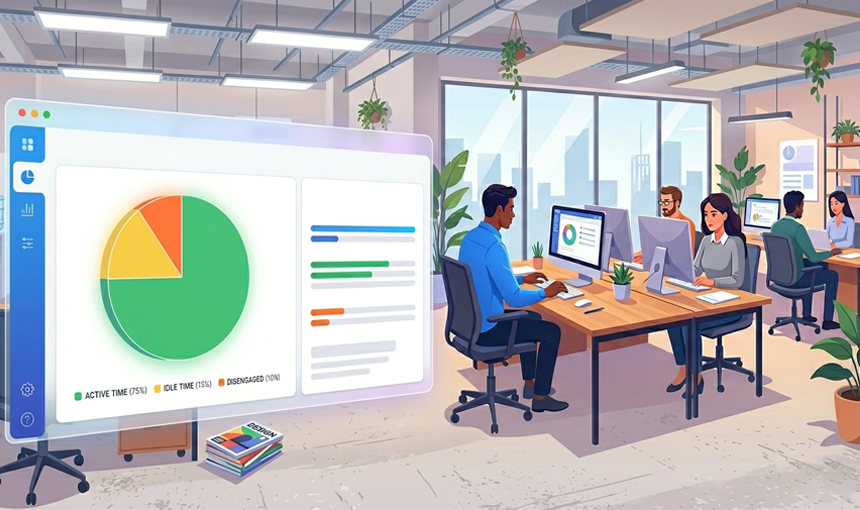
Lead with Data, Not Guesswork
Most managers know their team is busy — but busy isn't the same as productive. Without objective data, it's impossible to know whether your employees are spending their paid hours on deep work or drifting between distractions. That uncertainty doesn't just frustrate managers — it quietly costs businesses thousands in lost output every month.
Silent App is a stealth employee productivity tracking software built to close that visibility gap. By silently monitoring on-screen activity, application usage, website visits, keystroke patterns, and idle time, Silent App gives you a real, data-backed picture of how every work hour is actually spent — across your entire team, in real time. No guesswork. No self-reporting. Just accurate productivity intelligence that helps you lead smarter.
KEY FEATURES & BENEFITS
1. Real-Time Productivity Dashboard
See your team's productivity as it happens. Silent App's live dashboard displays activity scores, application usage, and idle time for every employee simultaneously — giving managers an instant, accurate snapshot of team performance without a single check-in call.
2. Application & Website Usage Tracking
Know exactly which applications and websites your employees use during work hours. Categorize every app and site as Productive, Unproductive, or Neutral — then use that data to identify where focus is strong and where distractions are quietly eating into output.
3. Idle Time Detection & Reporting
Silent App automatically identifies extended periods of inactivity across individuals and departments. Idle time reports give managers early, actionable signals of disengagement, workflow bottlenecks, or workload imbalances — before they show up in missed deadlines.
4. Keystroke & Mouse Activity Monitoring
Measure genuine engagement through keystroke volume and mouse activity tracking. Activity percentage scores for each employee give you an objective, instant measure of real work effort — making it easy to distinguish active contributors from low-engagement patterns.
5. Project Productivity Tracking
Analyze how employee time is distributed across projects and departments. Understand which initiatives receive focused effort and which are impacted by distraction or disengagement — enabling more accurate project planning and smarter resource allocation.
6. Custom Reports & Productivity Analysis
Generate detailed productivity reports for any time period, team, or individual — in Excel or PDF format. Custom reports give HR managers and executives the actionable workforce intelligence they need for performance reviews, operational planning, and strategic decision-making.